Looking up TOPdesk assets shouldn't be this hard
Slow asset lookups
Finding the right asset in TOPdesk takes too many clicks. In the field, you need answers fast, not a multi-step search through the desktop interface.
Manual typing errors
Copying long asset numbers by hand leads to typos, wrong results, and wasted time tracking down the right equipment.
No barcode scanning
IT teams work on the floor, not at a desk. Without barcode scanning, you're stuck manually typing serial numbers to look up assets.
BetterDesk: your TOPdesk scanner
Barcode & QR Scanning
Point your phone camera at any barcode or QR code. BetterDesk reads it instantly and searches your TOPdesk environment.
Instant Asset Details
See all asset information from TOPdesk in one view: type, status, assignee, location, and custom fields.
Attachments & Assignments
View attachments, assignment history, and related data on the go. Everything you need, right on your phone.
See full asset management features →How it works
Scan
Open BetterDesk on your phone and scan the barcode or QR code on the asset with your camera.
View
Instantly see the full asset details pulled from your TOPdesk environment: name, type, status, and more.
Act
Check assignments, view attachments, or start a document workflow, all from the asset detail screen.
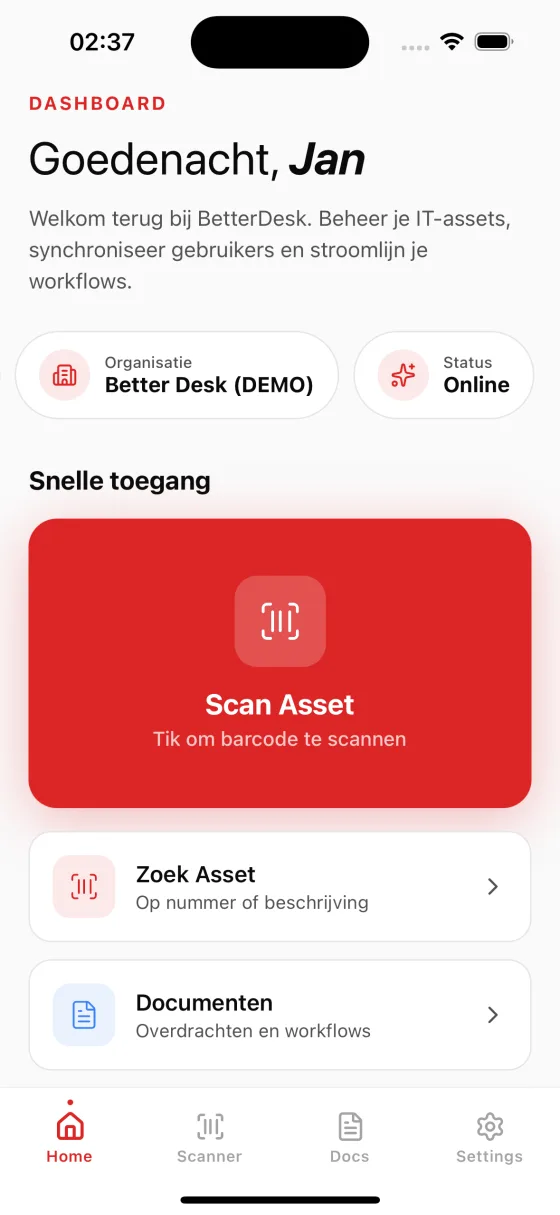
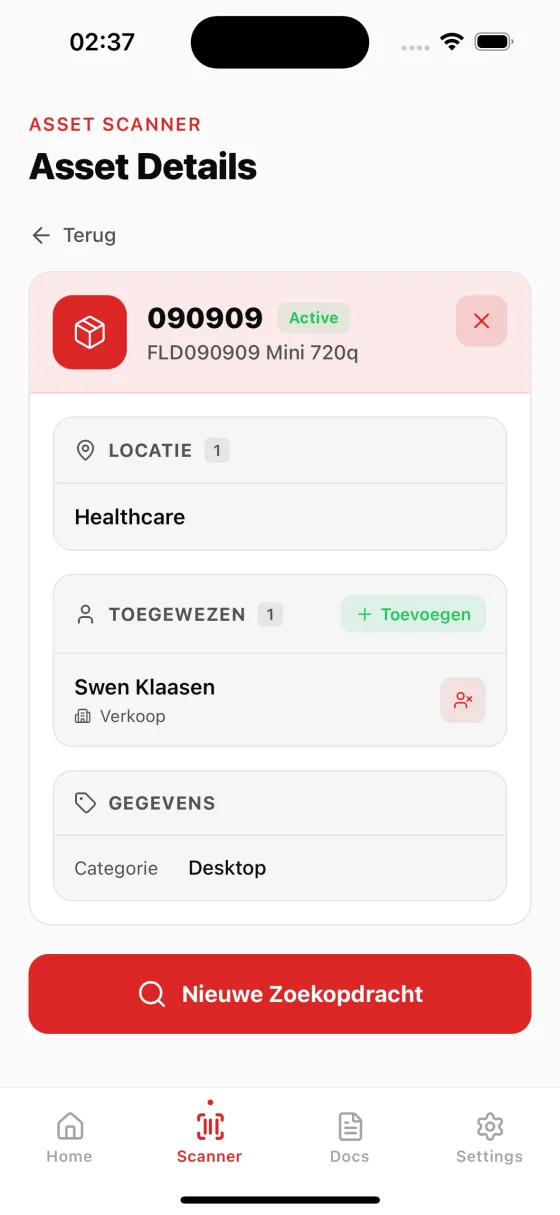

Built for IT teams who move fast
Instant asset lookup
Scan any barcode and get full asset details in under a second. No scrolling through lists or searching databases manually. BetterDesk connects directly to your TOPdesk environment and returns results immediately, so your IT staff spends less time searching and more time resolving issues. Whether you are in a warehouse, server room, or office floor, asset information is always one scan away.
Eliminate manual entry errors
Typing long serial numbers and asset tags by hand inevitably leads to mistakes. A single transposed digit can pull up the wrong asset or return no results at all. BetterDesk's barcode scanning removes human error from the equation entirely. Every scan reads the exact barcode value and matches it against your TOPdesk database, ensuring you always get the correct asset record on the first try.
No training required
BetterDesk is designed to be intuitive from the very first scan. Open the app, point your camera, and you are done. There is no complex setup, no multi-step configuration, and no learning curve for your IT staff. New team members can start scanning assets within minutes of installing the app, which means faster onboarding and immediate productivity gains for your entire department.
Seamless TOPdesk integration
BetterDesk reads directly from your existing TOPdesk asset data, including custom fields, locations, assignments, and attachments. There is no separate database to maintain and no data duplication. Every scan pulls live information from TOPdesk, so you always see the most current asset status. Changes made in TOPdesk are reflected instantly in BetterDesk, and scanned documents are uploaded back to TOPdesk automatically.
Frequently asked questions about TOPdesk scanning
BetterDesk supports all common barcode formats including Code 128, Code 39, EAN-13, UPC, and QR codes. Simply point your phone camera at any barcode or QR code on your IT equipment to instantly look it up in TOPdesk.
No. BetterDesk uses your phone's built-in camera as a barcode scanner. No additional hardware is needed, just install the app on your iPhone or Android device and start scanning.
Connection is simple: enter your TOPdesk URL and API credentials in the BetterDesk dashboard. BetterDesk will automatically sync your asset data. No changes to your TOPdesk environment are required.
You need an active internet connection to look up asset details in TOPdesk. However, scans are processed instantly and the app is optimized for fast lookups even on mobile networks.
Yes. BetterDesk works with any barcode or QR code label already attached to your IT equipment. It supports all standard formats used in IT asset management, including Code 128, Code 39, EAN, UPC, and QR codes. You do not need to relabel your equipment or purchase new barcode stickers. If TOPdesk can match the barcode value to an asset, BetterDesk will find it instantly.
BetterDesk requires an active internet connection to retrieve asset details from TOPdesk in real time. If you temporarily lose connectivity, the app will notify you and retry the lookup automatically once the connection is restored. For environments with unreliable network coverage, we recommend ensuring Wi-Fi access points are available in warehouses and server rooms where scanning is performed most frequently.