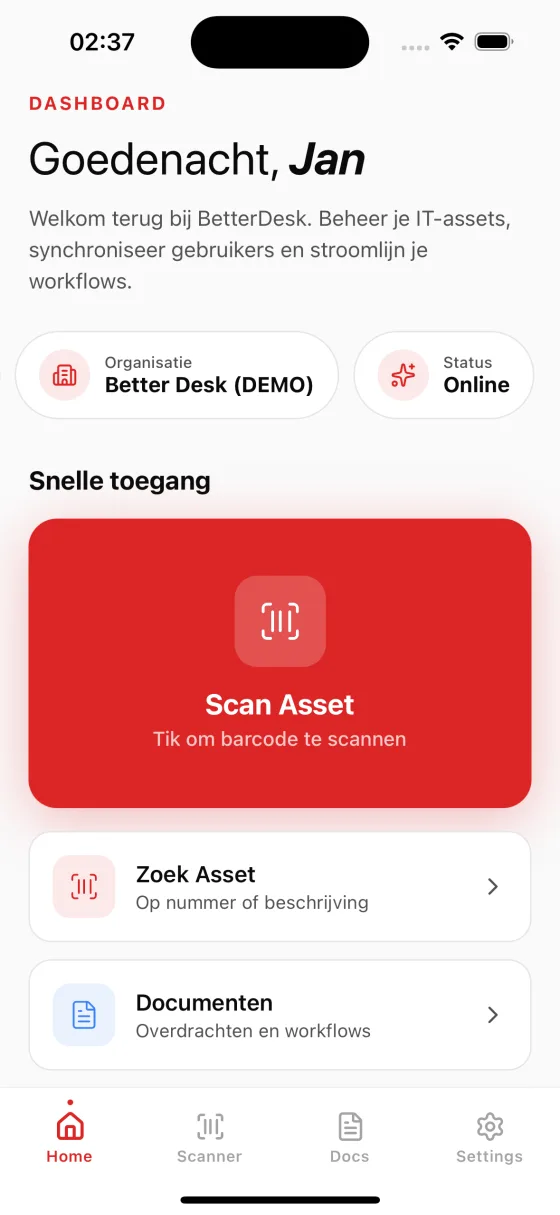
Faster than alternatives
A clear difference from standard mobile and marketplace add-ons.
Built for handover
Select recipient, capture signature, generate PDF proof instantly.
Real-time sync back to TOPdesk
Every scan, signature, and status change syncs immediately with an audit trail.
Fast rollout on your current model
Works with your existing asset schema and custom fields, no rebuild needed.
Watch the flow in 60 seconds
From barcode scan to signature and PDF, synced straight back to TOPdesk.
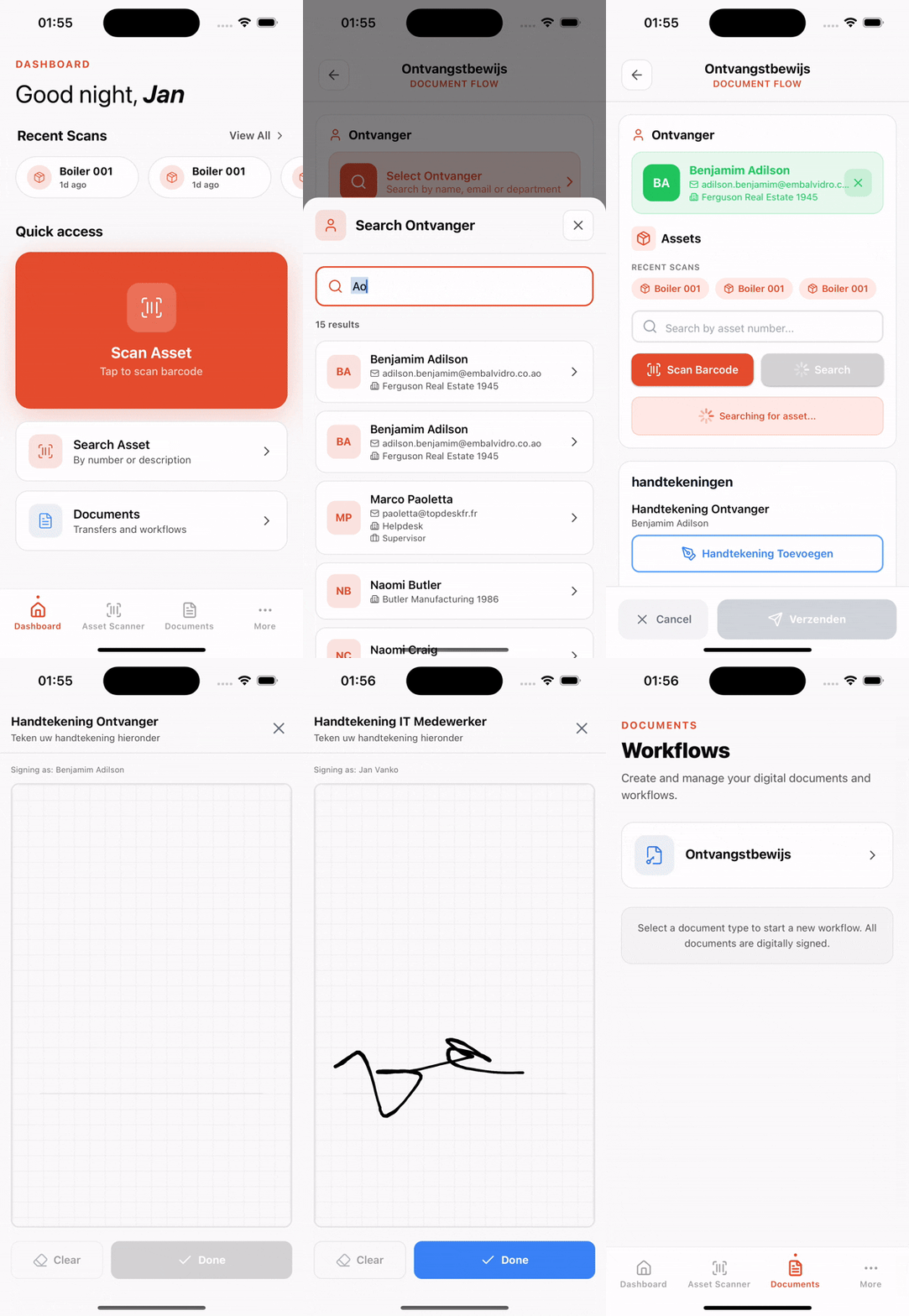
Real mobile flow: scan -> sign -> PDF -> sync
“Our handovers now finish in minutes with instant PDF confirmation.”
IT Operations Lead
“Technicians scan on-site and back office sees updates in TOPdesk immediately.”
Service Desk Manager
“The audit trail is finally complete: who, what, when, and where.”
Security & Compliance
TOPdesk Mobile is ticket-first, asset handovers need more
Asset scanning must be faster
In server rooms and storage areas, teams need scan-first workflows without slow handoffs.
Handovers need proof
IT teams need to complete handover forms on-site, capture signatures, and produce PDF proof.
Audit trail must stay complete
Without real-time sync and a clear audit trail, handovers stay fragmented across tools.
BetterDesk: TOPdesk on your phone
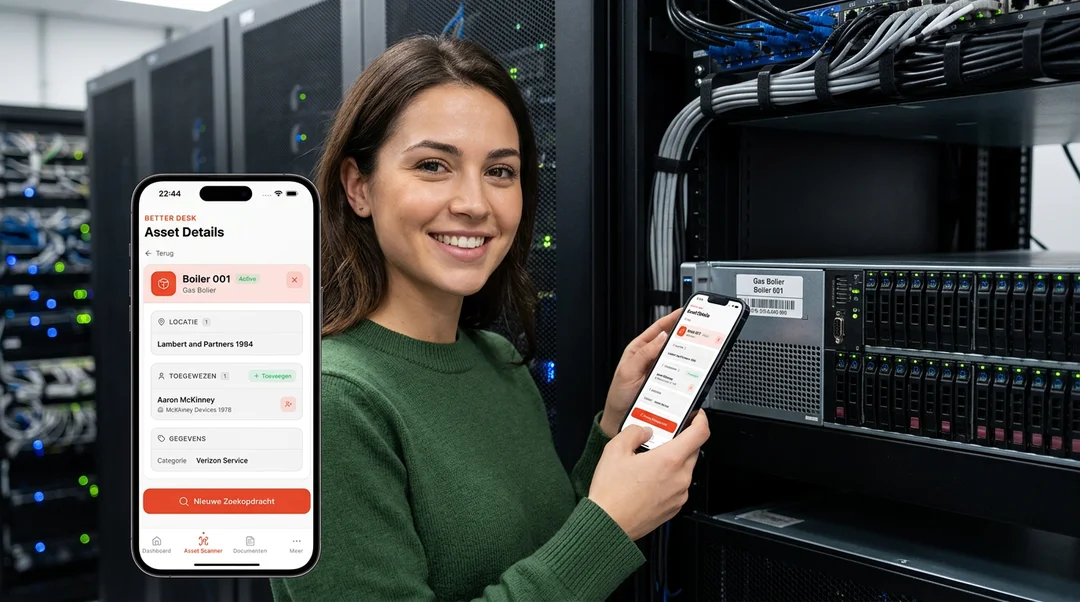
iOS & Android App
A real mobile app for both platforms. Built for smooth scrolling, instant loading, and a UI designed for your thumb.
Built-in Barcode Scanning
Scan barcodes and QR codes with your phone camera to instantly look up any asset in your TOPdesk environment. No typing required.
Learn more about barcode scanning →Document Workflows on Mobile
Process complete document flows from your phone. Select recipients, scan assets, collect digital signatures, and generate PDFs on the go.
Up and running in minutes
Connect
Link your TOPdesk environment to BetterDesk through the web dashboard. Enter your credentials once and you're set.
Open the App
Log in to BetterDesk on your phone. Your assets, users, and workflows are synced and ready to go.
Work on the Go
Scan assets, process document workflows, and collect signatures wherever you are. Everything syncs back to TOPdesk automatically.
Empower your field technicians with the right tools
Field technician efficiency
Your IT staff works on location: in server rooms, warehouses, and across office floors. They should not have to walk back to a desktop to look up an asset or process a handover. BetterDesk puts the full power of TOPdesk in their pocket, letting them scan equipment, check assignments, and complete document workflows without leaving the site. This eliminates unnecessary trips, reduces resolution times, and keeps your team focused on the work that matters.
Optimized for mobile networks
BetterDesk is engineered for real-world mobile conditions. The app loads fast on cellular connections, caches essential data locally, and handles network interruptions gracefully. Your technicians can continue working confidently even in areas with spotty Wi-Fi coverage. When connectivity is restored, any pending actions sync automatically with your TOPdesk environment, so no data is ever lost.
Real-time synchronization
Every action taken in BetterDesk is reflected in your TOPdesk environment in real time. When a technician scans an asset, completes a handover form, or collects a digital signature, the data flows back to TOPdesk immediately. Your back-office team always has the latest information at their fingertips without waiting for manual updates or end-of-day reports. This real-time visibility eliminates information gaps between field and office.
Works on any device
BetterDesk provides native apps for both iOS and Android, plus a full-featured web dashboard that works in any modern browser. Your team can use whichever device they already have: iPhones, Android phones, iPads, or tablets. There is no need to purchase dedicated hardware or standardize on a single platform. The consistent experience across all devices means your staff can switch between devices without relearning the interface.
Frequently asked questions about the TOPdesk mobile app
The BetterDesk mobile app is available for both iOS (iPhone and iPad) and Android devices. You can download it from the App Store or Google Play Store. The web dashboard works in any modern browser.
No. BetterDesk is a companion app that extends TOPdesk with mobile capabilities. It connects to your existing TOPdesk environment and adds features like barcode scanning, digital signatures, and mobile document workflows.
BetterDesk syncs asset data in real-time with your TOPdesk environment via the TOPdesk API. Changes made in BetterDesk are reflected in TOPdesk and vice versa. Person data and asset schemas are synced automatically.
BetterDesk costs €99 per month for unlimited users and unlimited access. This includes the mobile app, web dashboard, barcode scanning, document workflows, digital signatures, and all integrations. A free trial period is available.
BetterDesk runs on iOS 15 or later and Android 10 or later. The app requires a device with a working camera for barcode scanning and approximately 100 MB of storage space. For the best scanning experience, we recommend devices manufactured in the last four years, as newer camera hardware provides faster and more accurate barcode recognition. The web dashboard has no special requirements and works in any modern browser including Chrome, Safari, Firefox, and Edge.
BetterDesk takes data security seriously at every level. All communication between the app and your TOPdesk environment is encrypted using TLS. Authentication is handled through your existing identity provider via Entra ID SSO, so no TOPdesk credentials are stored on the device. Session tokens are stored securely in the device keychain, and the app does not cache sensitive asset data locally. Your organization retains full control over user access and can revoke permissions at any time through the BetterDesk dashboard.